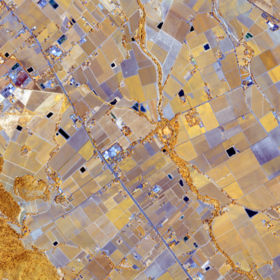
ICLR Workshop Challenge #2: Radiant Earth Computer Vision for Crop Detection from Satellite Imagery
'/%3e%3c/defs%3e%3cpath fill='%23fff' d='M-120-80h240V80h-240z'/%3e%3cpath d='M-120-80h240v48h-240z'/%3e%3cpath fill='%23060' d='M-120 32h240v48h-240z'/%3e%3cg id='b'%3e%3cuse xlink:href='%23a' stroke='%23000'/%3e%3cuse xlink:href='%23a' fill='%23fff'/%3e%3c/g%3e%3cuse xlink:href='%23b' transform='scale(-1 1)'/%3e%3cpath fill='%23b00' d='M-120-24v48h101c3 8 13 24 19 24s16-16 19-24h101v-48H19C16-32 6-48 0-48s-16 16-19 24z'/%3e%3cpath id='c' d='M19 24c3-8 5-16 5-24s-2-16-5-24c-3 8-5 16-5 24s2 16 5 24'/%3e%3cuse xlink:href='%23c' transform='scale(-1 1)'/%3e%3cg fill='%23fff'%3e%3cellipse rx='4' ry='6'/%3e%3cpath id='d' d='M1 5.85s4 8 4 21-4 21-4 21z'/%3e%3cuse xlink:href='%23d' transform='scale(-1)'/%3e%3cuse xlink:href='%23d' transform='scale(-1 1)'/%3e%3cuse xlink:href='%23d' transform='scale(1 -1)'/%3e%3c/g%3e%3c/svg%3e)
Helping Kenya
$5 000 USD
Completed (over 6 years ago)
Classification
Earth Observation
654 joined
110 active
Start
Feb 03, 20
Close
Mar 28, 20
Reveal
Mar 29, 20

Kindly go here ( https://bit.ly/2uVEbet ) and register to get an access token. When you are done, use this tutorial ( https://bit.ly/2ToLWD1 ) to get your data. Remember to replace the access token with the one you got. Best regards
Your first link returns a "404 Not Found" message. The second one works well though so I'm guessing it's probably because the first is trying to lead to your logged-in account......
Alternatively, @silvan, you can follow this:
The dataset for this competition is publicly available on Radiant MLHub. In order to access the data, you need to sign up for an API access token here. Then you can access the data using Radiant MLHub API (docs available here). The multi-spectral dataset is named “ref_african_crops_kenya_02_source” and the labels and field IDs dataset is named “ref_african_crops_kenya_02_labels”. You can use these example notebooks to access, download and load the data into your Python environment. Models that use the Field ID as a feature will not be accepted as a winning solution.
~ this can be found in the Data section of the page
Click on the individual links for all that you require.. What you really need are the first and second links as far as getting the data is concerned (though the second link is also important to know what you're about).
And yes, I just visited the link (first) and it has both the login and sign up pages with the buttons present...
You may also use this colab version as I was following the tutorial ( https://colab.research.google.com/drive/10F5yfwdMZLyw0TitP0EFqEvOtyrln6bU ). Do sign up for the access token here https://bit.ly/2uVEbet
Thanks for everyone.I tried use browser Firefox 73.0.1 (64-bit) and I didn't have button Sign Up. It is work fine for Chrome
oh I see.. that's fine. godspeed
Hello Silvan...I also noted that esp if you're using Moxilla on Linux Os as your web browser-The sign up button is located at the very bottom of the create account page.
Trying signing up Android os or chrome will work.
-My suggestions. Thank you.