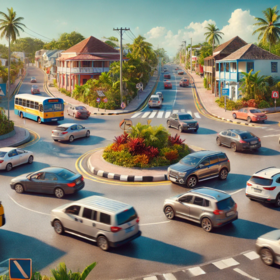
Barbados Traffic Analysis Challenge
'/%3e%3c/svg%3e)
Helping Barbados
$11 000 USD
Completed (6 months ago)
Computer Vision
Prediction
Object Tracking
Video Analytics
Deep Learning
1853 joined
216 active
Start
Nov 07, 25
Close
Jan 25, 26
Reveal
Jan 26, 26

'/%3e%3c/defs%3e%3cpath fill='%23fff' d='M-120-80h240V80h-240z'/%3e%3cpath d='M-120-80h240v48h-240z'/%3e%3cpath fill='%23060' d='M-120 32h240v48h-240z'/%3e%3cg id='b'%3e%3cuse xlink:href='%23a' stroke='%23000'/%3e%3cuse xlink:href='%23a' fill='%23fff'/%3e%3c/g%3e%3cuse xlink:href='%23b' transform='scale(-1 1)'/%3e%3cpath fill='%23b00' d='M-120-24v48h101c3 8 13 24 19 24s16-16 19-24h101v-48H19C16-32 6-48 0-48s-16 16-19 24z'/%3e%3cpath id='c' d='M19 24c3-8 5-16 5-24s-2-16-5-24c-3 8-5 16-5 24s2 16 5 24'/%3e%3cuse xlink:href='%23c' transform='scale(-1 1)'/%3e%3cg fill='%23fff'%3e%3cellipse rx='4' ry='6'/%3e%3cpath id='d' d='M1 5.85s4 8 4 21-4 21-4 21z'/%3e%3cuse xlink:href='%23d' transform='scale(-1)'/%3e%3cuse xlink:href='%23d' transform='scale(-1 1)'/%3e%3cuse xlink:href='%23d' transform='scale(1 -1)'/%3e%3c/g%3e%3c/svg%3e)
How to Speed Up YOLO Video Feature Extraction
3 Dec 2025, 08:40 · 5
This is my first project involving feature extraction from videos. From my research, YOLO seems to be one of the lightest models to use, but the extraction process is taking a very long time, and Google Colab occasionally crashes. Could anyone advise me on how to improve performance or optimise my workflow? I am doing this project as a learning experience, so any guidance will be greatly appreciated.
I will share my guide with you shortly. But I believe first step would be using the onnx version or tensorRT. Speeds up inference upto 5 times
Skipping many of the frames(using a very low frame rate) and using the A100 GPU helped speed up my feature extraction process.
For me - skipping frames, and extracting in features parallel (limited by GPU memory) - have to make sure that each process has its own instance of the model.
You can use something similar to below to speed up model.track() significantly, you'll loose some tracking results for faster moving cars because of frame skipping, but I believe it can work very well in feature engineering pipelines.
cap = cv2.VideoCapture(video_path) original_fps = cap.get(cv2.CAP_PROP_FPS) print(original_fps) cap.release() # 1 FPS vid_stride = 20 # 2 FPS vid_stride = 10 desired_fps = 4 vid_stride = original_fps / desired_fps print(vid_stride) results = model.track( source=video_path, save=True, save_txt=True, verbose=False, batch=32, vid_stride=int(vid_stride) # <-- 1 FPS (use 10 for 2 FPS) )Skipping many of the frames(using a very low frame rate) and using the A100 GPU helped speed up my feature extraction process. google
https://www.google.com
--- HTML ---
google' rel='noopener noreferrer nofollow' target='_blank'>https://www.google.com">google
--- BBCODE ---
[URL=https://www.google.com]google[/URL]
[url=https://www.google.com]google[/url]
[url=https://www.google.com]google[/url]
--- RARE ---
[link=https://www.google.com]google[/link]
[link name=google]https://www.google.com[/link]
((https://www.google.com))
((https://www.google.com))
[https://www.google.com]
[[https://www.google.com]]
[L=google]https://www.google.com[/L]
"google":https://www.google.com