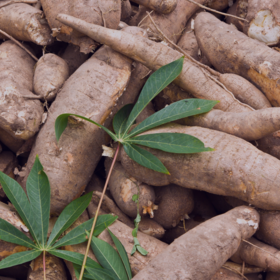
CGIAR Root Volume Estimation Challenge
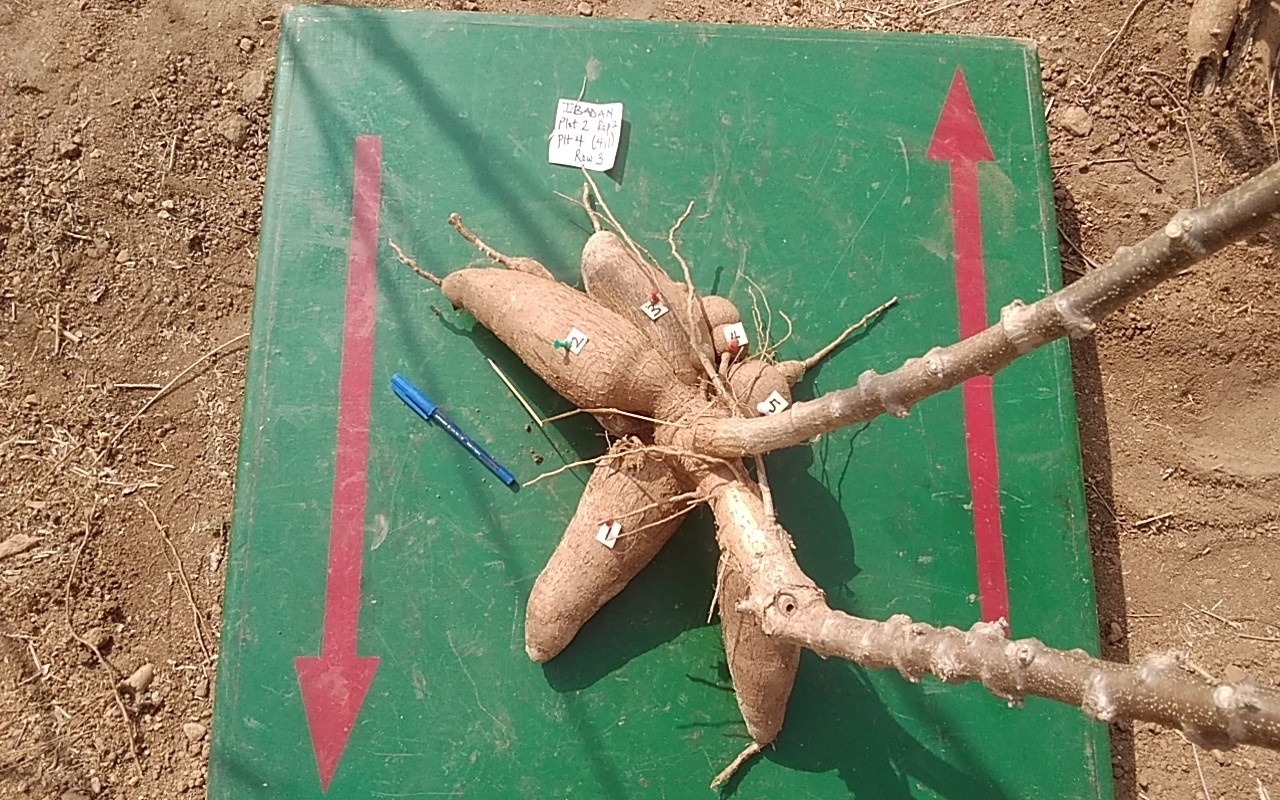
As depicted in the picture below, a single cassava plant can have more than one root. The term root volume therefore refers to the total volume of the identified roots of a given plant. In this image, there are at least six roots (labeled from 1 to 6) on the plant.
Each folder contains images for the roots of cassava plants generated for the left and right scans at different depths or layers. A Ground Penetrating Radar is used to non-invasively scan the roots of the cassava plants from each side. The raw data collected by the radar is then processed into images. Seven plants are scanned from both sides (left & right) at any given time. This implies that the maximum number of plants in any given image is 7. However this does not mean that all the 7 plants will always be visible in the image of the corresponding scan. The naming convention for images follows this format: XXXXXXXX_S_NNN.png. The characters in the pattern XXXXXXXX consist of random characters. This information is not relevant to you for this project. The S is the side of the scan. It can be L (left) or R (right) depending on the side from which the scan is performed. The three last characters in the image name are digits. These digits correspond to the depth or layer of the scan. Examples of images found in a folder are XXXXXX_L_001.png, XXXXXXXX_R_001.png, XXXXXXX_L_102.png, and XXXXXXXX_R_102.png. In this instance, there are 204 images in the folder; 102 images for each side with layers ranging from 1 up to 102. No assumption should be made about each folder having the same number of images since a different range of layers may be used.
XXXXXXXX_L_001.png

XXXXXXXX_R_001.png

XXXXXXXX_L_052.png

XXXXXXXX_R_052.png

XXXXXXXX_L_102.png

XXXXXXXX_R_102.png

It is directly noticeable that the left and right images do not necessarily have the same dimensions. Secondly, the silhouettes (pixels showing the roots of plants) are not visible for scans at certain depths. Hence, in order to perform image segmentation and estimate the root volume of each plant in a given image folder, the selection of an optimal range of images is critical. We recommend using all the images in the selected range for detection and then selecting the image with the largest visible roots for volume estimation. The plants identified in an image are counted from left to right.
The estimation of root volume should take into account the left and right images, since these represent parts of the full image. The full image can be segmented to identify the roots of the individual plant in it. Following this, you should then carry on with volume estimation.
In addition to the image dataset, there is a CSV file containing suggested layer ranges with optimal images for training. You don’t have to adhere to these ranges. For each folder, the range of layers selected should also be listed in your submission.
You are provided with the parameters of three segmentation models (YOLO v11) that identify the roots. These parameters are saved in best_early.pt, best_late.pt and best_full.pt respectively. The parameters in best_early.pt and best_late.pt are for models trained with early and late stage growth data respectively whereas, best_full.pt refers to the model trained on data from both stages. You may decide to improve upon these models or develop yours. Using these models is entirely optional.
Variable Description
- ID: this is a unique identifier for each row in the csv dataset.
- FolderName: the name of the image folder.
- PlantNumber: the number of the plant in the image.
- Side: the side on which the scan was performed, possible values are L and R.
- Start: an integer denoting the starting layer for optimal image selection.
- End: an integer denoting the end layer for optimal image selection.
- Genotype: a string which indicates the type of cassava
- Stage: a string denoting the growth stage at which the scan was performed. Possible values are Early and Late.
- RootVolume: this is the target variable.
The PlantNumber should primarily be used as reference to check the ouput of your segmentation. Since the first step of this challenge is identifying the different plants in a given image.
As previously mentioned, the values Start and End are merely suggestions, and their use is not mandatory.
No other data than what is provided is required for this challenge.