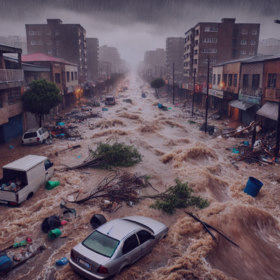
Inundata: Mapping Floods in South Africa
'%3e%3cpath fill='%23001489' d='M0 0v6h9V0z'/%3e%3cpath fill='%23e03c31' d='M0 0v3h9V0z'/%3e%3cg stroke='%23fff' stroke-width='2'%3e%3cpath id='d' d='m0 0 4.5 3L0 6m4.5-3H9'/%3e%3cuse xlink:href='%23b' stroke='%23ffb81c' clip-path='url(%23c)'/%3e%3c/g%3e%3cuse xlink:href='%23d' fill='none' stroke='%23007749' stroke-width='1.2'/%3e%3c/g%3e%3c/svg%3e)
Helping South Africa
$10 000 USD
Completed (over 1 year ago)
Classification
1342 joined
314 active
Start
Nov 22, 24
Close
Feb 16, 25
Reveal
Feb 17, 25


What worked?
Help · 17 Feb 2025, 10:57 · 11
This competition was very interesting and challenging at the same time. I tried heavy feature engineering, undersampling, oversampling, applied images, used several boosting models and adjusted the data(especially when the precipitation was 0 and it was labelled as flood(1) in the train data) but my result was just not improving,
same was for me as well Can top ladder postion holder share their insight.
Summary of the 15th place solution from the private leaderboard:
1. Data Processing
2. Feature Engineering
3. Modeling
4. Key Parameters
Kaggle link :
https://www.kaggle.com/code/onurkoc83/floods-study
Don't forget to upvote the Kaggle notebook :)) , and feel free to ask me if you have any questions.
Thank you, great approach! I didn't use many lag and lead features, just previous 20 days and next 21 days.
Will do that🔥. Thanks for sharing.
I will make several videos recap my solutions and what I learned.
Here is the first one: https://www.youtube.com/playlist?list=PLTTjhaP30APfgB-hqzw85olc6w6h8TO43
Thank you for sharing. We will be very glad on receiving the rest. Big ups!
I was affected by the leak and got a huge shakeup but anyways that's all part of the game😅. This is my solution:
I made 730 lag features (this is for all the days),
Little feature engineering in addition.
The Images didn't help me from my opinion.
Groupkfold of 10 folds,
Xgboost (mostly default parameters, with early stopping and n_estimators of 1000).
Ensemble methods didn't work quite well for me.
This was the score before using the leak:
Public: 0.002575628
Private: 0.002630546
https://www.kaggle.com/code/dukekojokongo/zindi-inundata-floods
Summary of my Progression and Results:
https://youtu.be/fzPJHU3KYfU?si=mIRRU9JrEqegmerV
Thank you @snow
Well Documented! You deserve a thumbs up. I am definitely subscribing to your channel.